



DeepBLOK · Release Notes
Product Updates
Track every feature we’ve shipped — built on real feedback from brands using DeepBLOK.
Want to see how the new features fit your business?Talk to our team →
v2.6.0June 2026Admin & Account Management Enhancement5 features
Member Profile · Account Detail
P
Patchara Wongsilp
Gold Member · Siam Branch · Last active 3 days ago
✓ Staff insight → becomes a permanent brand asset
Member Tags — Freeform customer tagging, unlimited fields and languages
Capture customer insights your old system couldn’t store — preferences, behaviors, special context. Data stays with the brand even as your team changes.
- Freeform tags — name them anything, supports Thai, English, and emoji
- Every team member sees the same customer context — no starting from scratch
- Preserve customer LTV even when staff turns over
Read more
When customer data is more than numbers — how Member Tags turns staff insight into a lasting brand asset
→
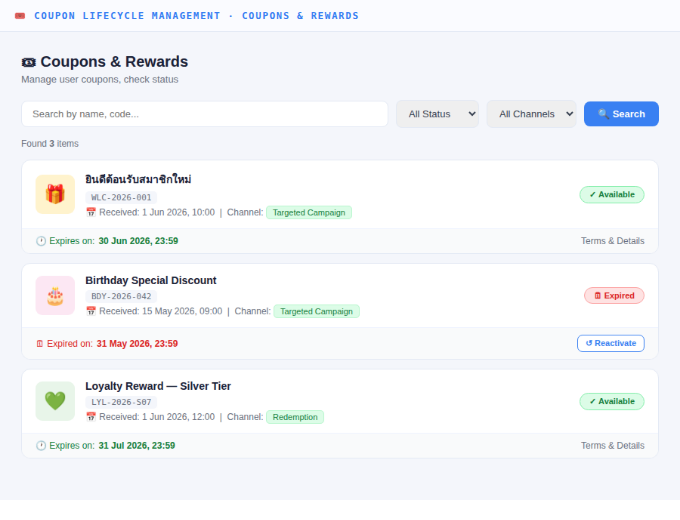
Coupon Lifecycle Management — Track every coupon from issuance to expiry
Suspend / Void / Reactivate coupons without waiting for Dev — with a full Audit Log for compliance and internal review.
- View status, channel source, and timeline of every coupon in one place
- Instantly void fraud or incorrectly issued coupons with a logged reason
- Reactivate expired coupons with a new date — the system prevents backdating
Read more
Why “issuing coupons” isn’t enough — and how Coupon Lifecycle lets CS close cases without Dev
→
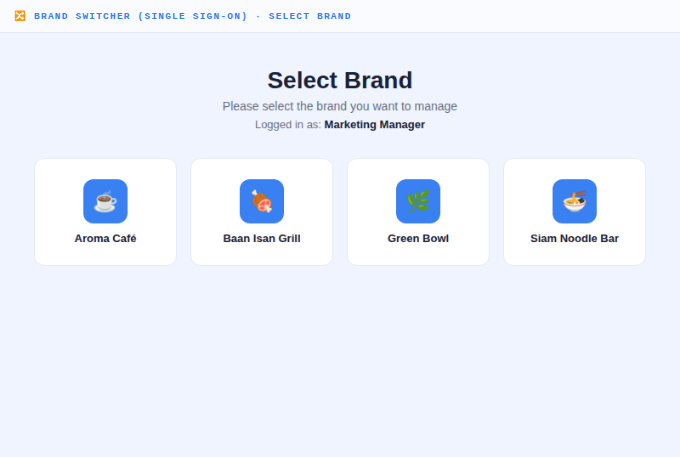
Brand Switcher (Single Sign-On) — 1 login, switch brands instantly from the dropdown
No more repeated logout/login when managing multiple brands — select a brand and the admin panel switches context automatically.
- Manage unlimited brands in your group from a single account
- Header always shows “Working on [Brand]” — reduces the risk of viewing the wrong brand’s data
- Offboard staff — close 1 account and instantly revoke access across all brands, no gaps
Read more
1 person managing 4 brands, forced to juggle 4 passwords — here’s how Brand Switcher solves it
→
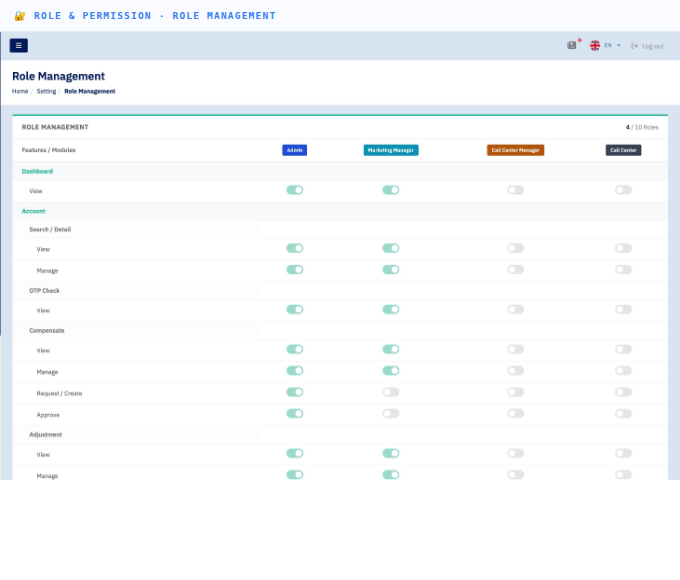
Role & Permission (RBAC) — Set team permissions per module
Precisely control what each role can do in each module — Marketing works freely without touching financial approvals or system settings.
- 5 ready-to-use roles: Super Admin / Admin / Marketing Manager / Call Center Manager / Call Center
- Toggle View / Manage / Approve / Export permissions per module independently
- Admins can update the Role Matrix without Dev — changes take effect on next login
Read more
What is RBAC, and why multi-brand access needs precise permission management
→
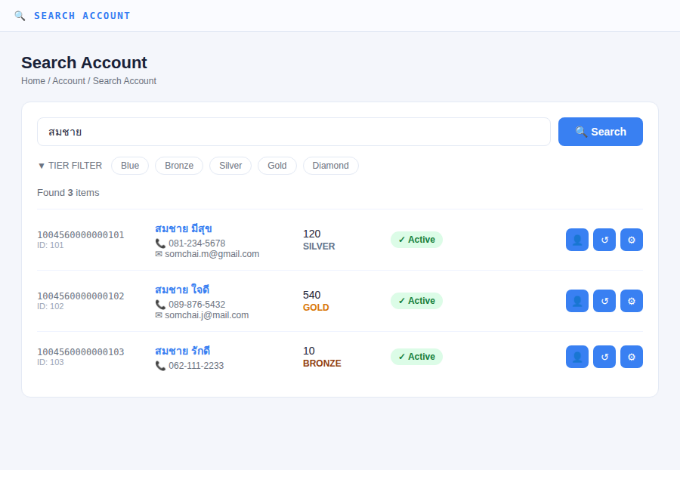
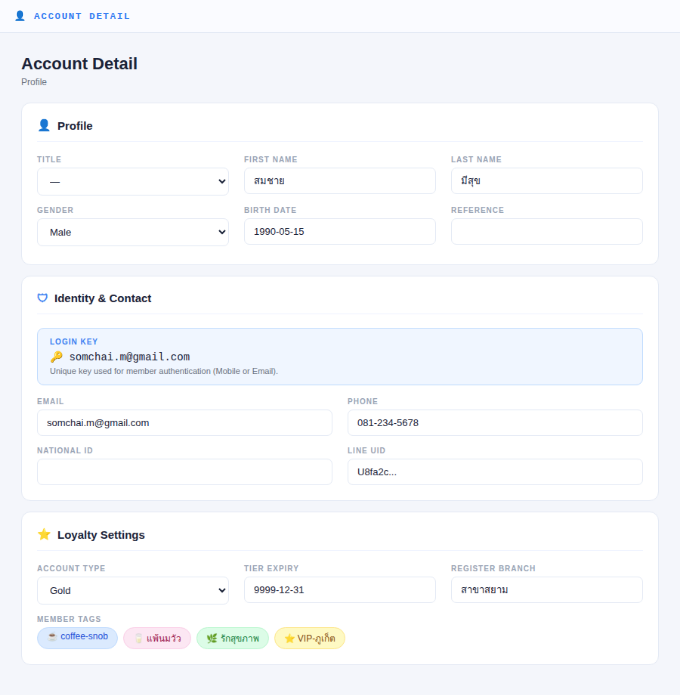
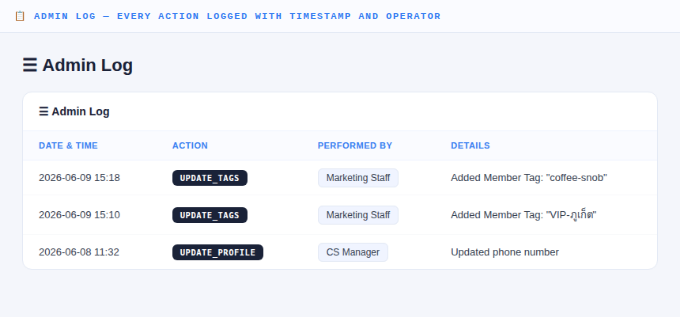
Account Management Enhancement — Search, view details, and track every member action
A fully redesigned member management UI — from search to profile details to an Admin Log that records every change with timestamp and operator.
- Search Account — find members faster with Tier Filter and easy-to-read results
- Account Detail — see Profile, Identity & Contact, Loyalty Settings, and Member Tags on one page
- Admin Log — every action is logged automatically with timestamp and operator for full auditability
Read more
How the new Account Management gives CS full access to member data and tracks every action
→