


DeepBLOK · Release Notes
Product Updates
Stay up to date with every Feature Update — built on real feedback from brands using DeepBLOK.
Want to see how the new features fit your business?Talk to our team →
v2.12.0October 21, 2026Personal Data Protection1 update
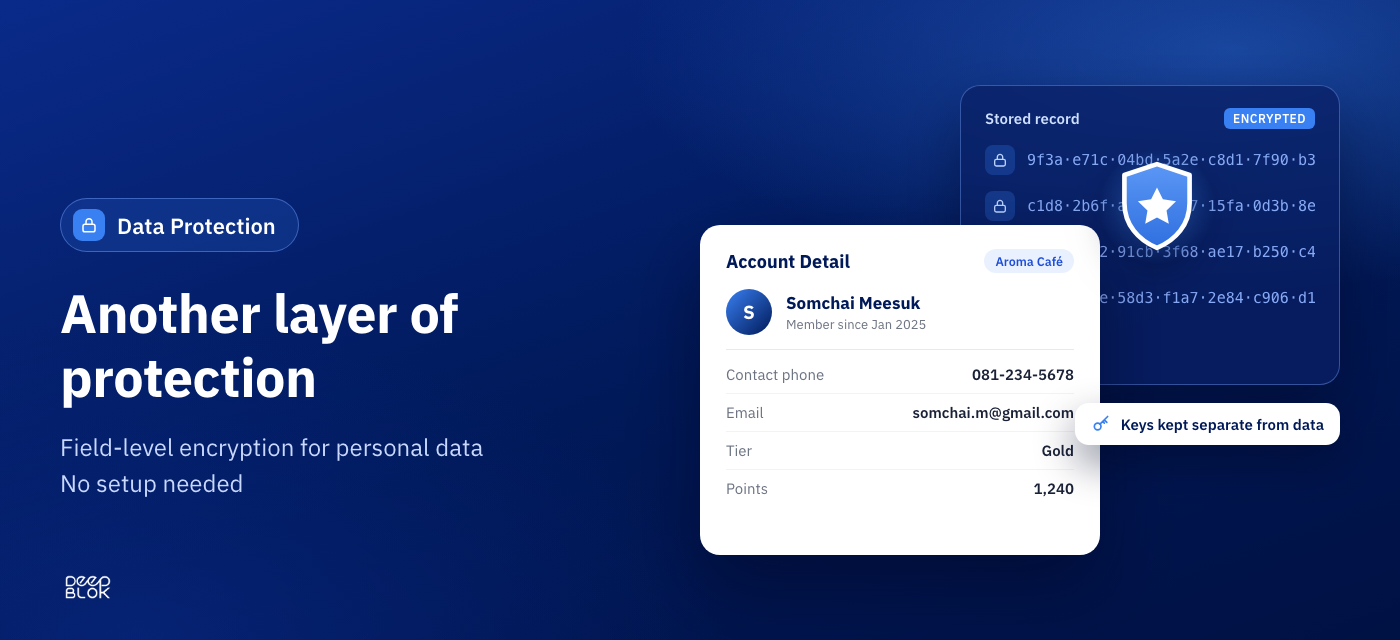
Another layer of protection for your members’ data, with field-level encryption
v2.12.0 adds field-level encryption to sensitive personal data stored on the DeepBLOK platform. It is an added layer of protection for the member data brands trust us with, and there is nothing for you to set up.
- Sensitive personal data is encrypted at field level using industry-standard methods
- Encryption keys are managed separately from the data, with access limited to those who need it
- Access to personal data is logged for audit
- Follows privacy-by-design principles under Thailand’s Personal Data Protection Act (PDPA)
- No setup needed — brands and members use DeepBLOK exactly as before
- Enterprise customers can request detailed security documentation through their account manager
v2.11.0October 7, 2026Email Login & Web Browser4 features
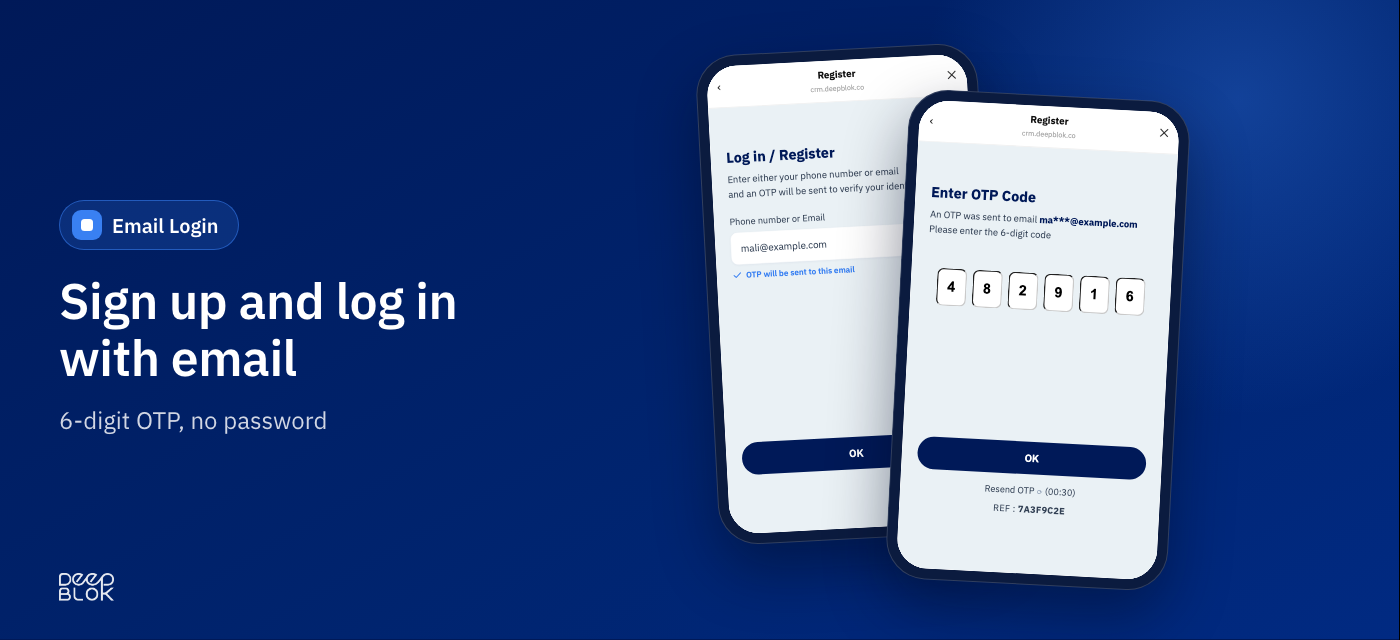
No Thai mobile number needed — sign up and log in with email
v2.11.0 adds email as a second way to sign up, alongside the phone number you already use. It covers customers who don’t have a Thai mobile number — international visitors, for example — and customers who simply prefer email. It is verified by a one-time code the same way phone numbers are, and there is no password to set or remember.
- The customer enters an email → receives a 6-digit OTP by email → types it in. That’s the whole flow
- No passwords, for sign-up or login. The code is valid for 15 minutes and can be resent
- One screen for both sign-up and login — an existing member goes straight to the home page, a new one is taken to the registration form. Customers never have to choose
- The verified email is saved as the member’s contact email automatically, so the form doesn’t ask for it again
- Members can change their email themselves from Settings on the member page, confirming with an OTP sent to the new address
- The OTP email carries Thai and English in a single message
- One account, one channel — a customer signs up with either a phone number or an email. Existing members keep logging in with their phone number as before
Read more
International customers and customers without LINE can now join and earn points — with email and a web browser
→
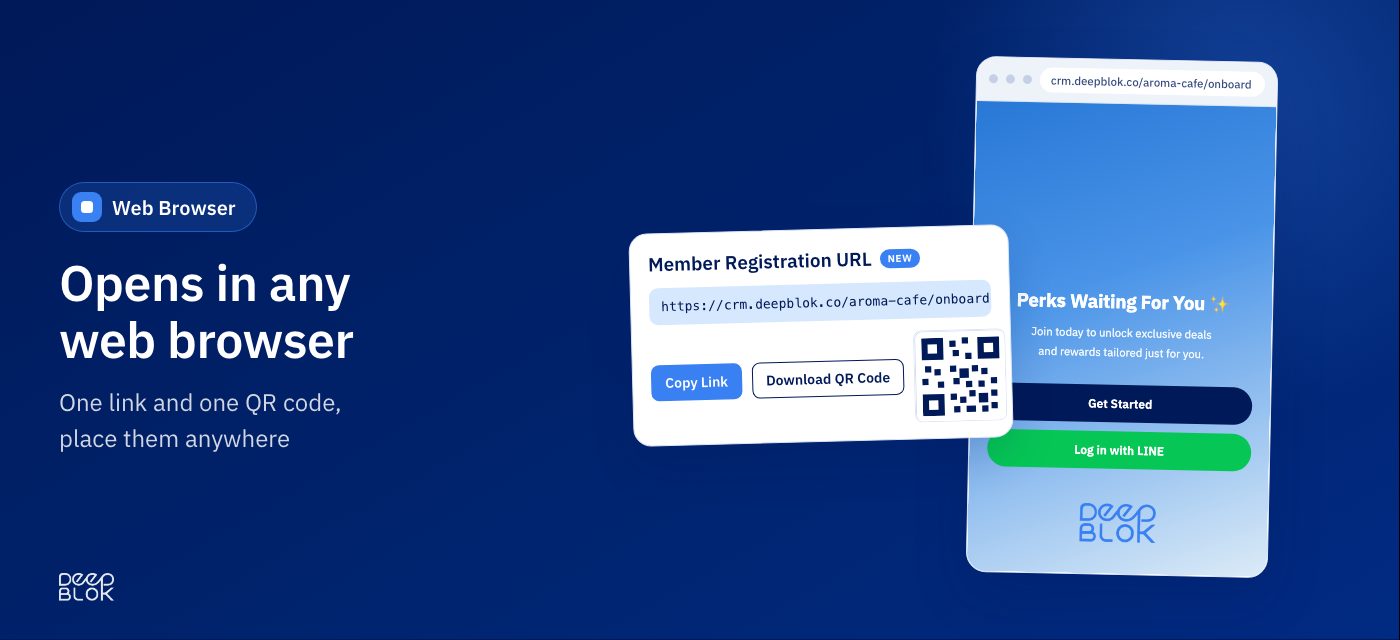
No LINE needed — the member page opens in a web browser, alongside LINE
The member page works in Chrome, Safari and Edge. Each brand gets its own link and QR code to place wherever customers meet you. Nothing changes for members who use it inside LINE.
- The backoffice has a new Member Registration URL card — Copy Link or Download QR Code
- One link and one QR work everywhere: your website, emails, social profiles, in-store signage or receipts
- Customers can sign up, log in and see their points, privileges and coupons just as they do on LINE
- They earn points in store the same way — staff scan the QR on the member page in the browser, or look the member up by email instead of phone number
- Customers who prefer LINE can tap Log in with LINE from the browser page (shown once your LINE Settings are configured)
- Thai and English are both supported; customers switch from the top right
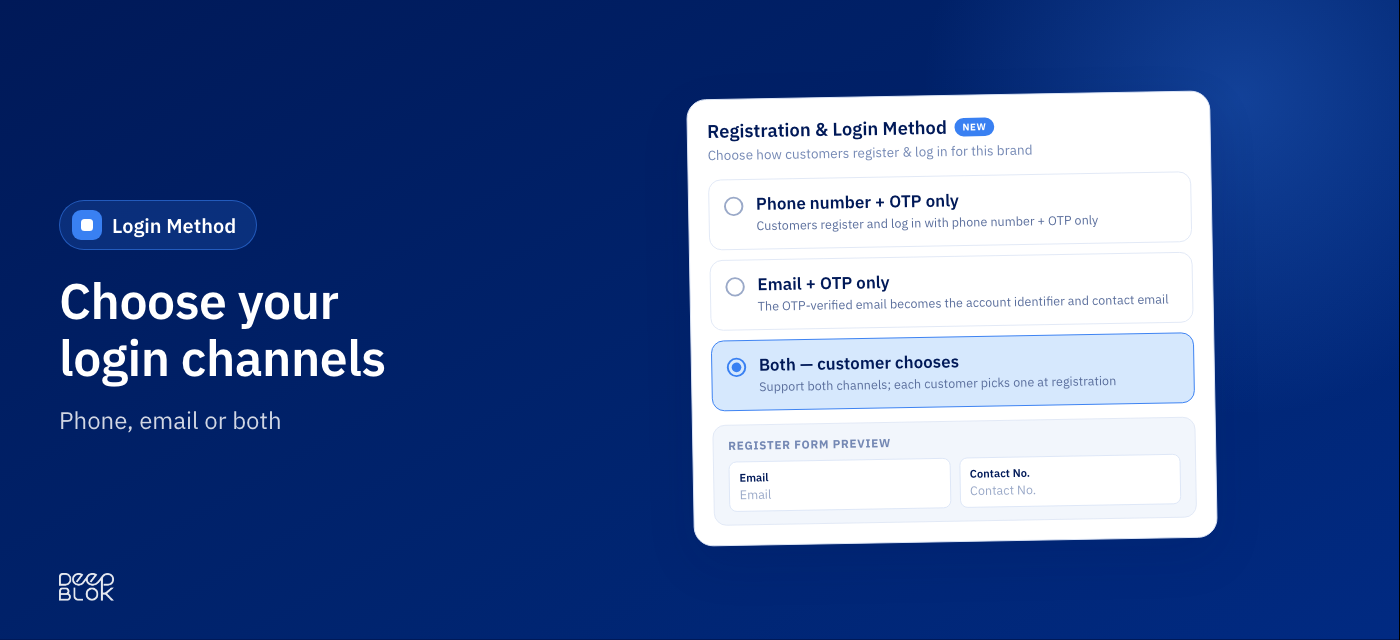
Choose how customers sign up for your brand
Go to Settings › Register Form Management and pick phone, email or both. The registration form adjusts its fields to match, and you can preview the result before you save.
- Three options: Phone number + OTP only · Email + OTP only · Both — customer chooses
- Every brand starts on Phone number + OTP only, exactly as it works today — nothing changes until you change it
- With Both, customers see a single field. The system works out whether it’s a phone number or an email and tells them where the OTP will be sent before they continue
- The email and contact-number fields follow the channel — phone sign-ups see an email field, email sign-ups see a contact-number field. Set each to hidden, optional or required
- A live Preview in Thai and English updates as you configure, before you save
- To add email, choose “Both”. Switching to email only means members who signed up with a phone number can no longer log in. The system warns you about this every time before you save
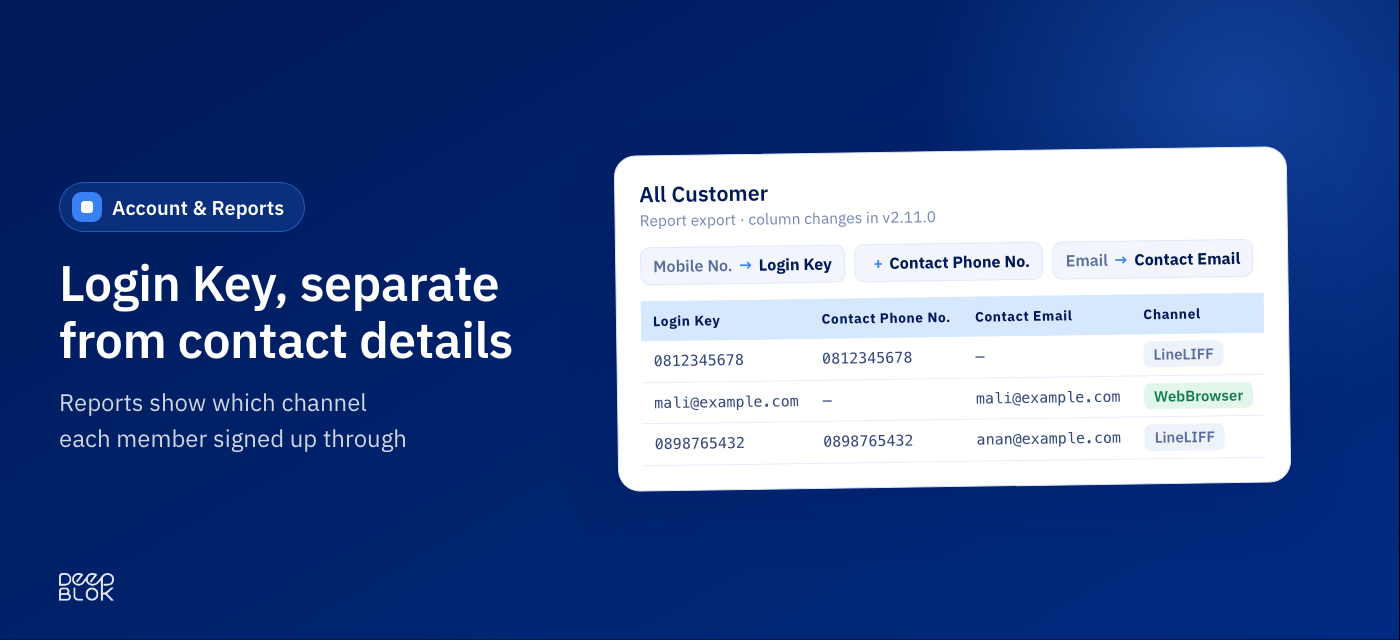
Member records and reports now separate the Login Key from contact details
Now that members can log in with either a phone number or an email, Account Detail and your reports show clearly which value is used to log in, which are contact details, and which channel each member came in through.
- Account Detail shows the Login Key separately from the contact email and phone
- The Customer Registration and All Customer reports change as follows
- Mobile No. → Login Key · new: Contact Phone No. (new, right after Login Key) · Email → Contact Email
- The Channel column has a new value, WebBrowser, for members who signed up through a web browser
- Existing member data is intact — the original phone number appears in both Login Key and Contact Phone No.
- If you feed these exports into spreadsheet formulas or another system that refers to the old column names, update those references to the new names
v2.10.0September 23, 2026Marketplace Integration & Gamification2 features
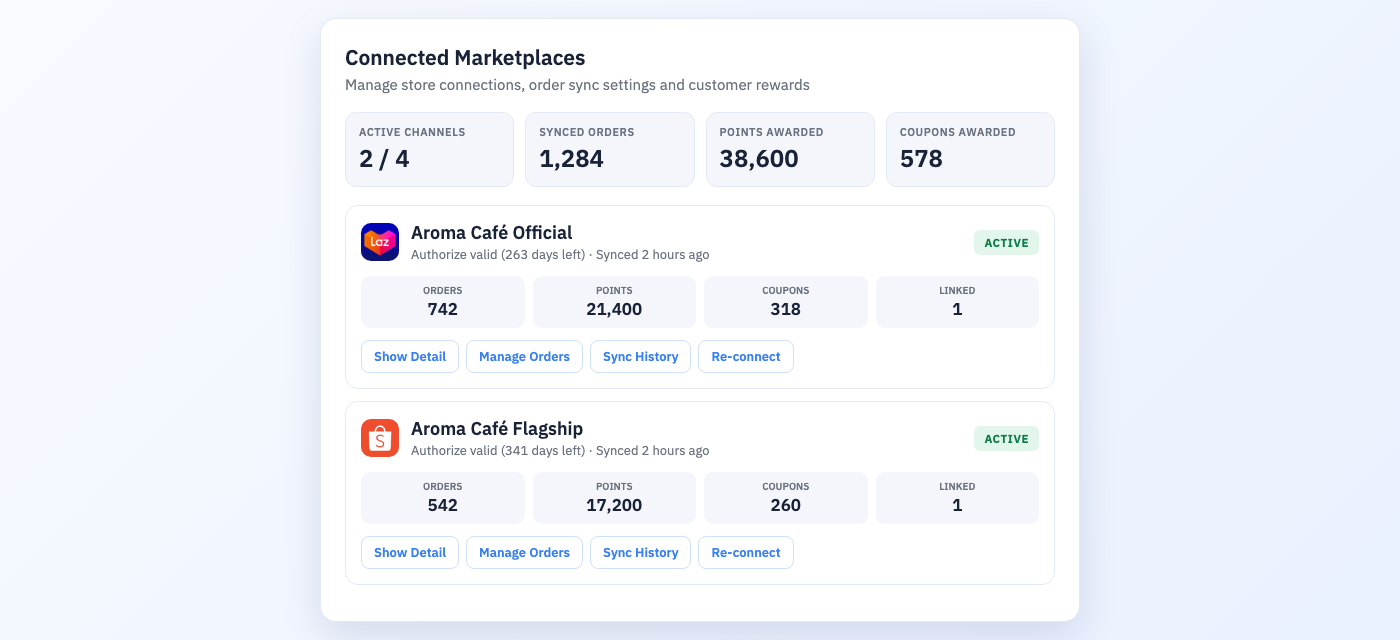
Connect your marketplace stores to the loyalty program — Lazada and Shopee
Marketplace revenue used to sit outside your member base. The same customer earned points buying in store and nothing at all buying on Lazada or Shopee. v2.10.0 connects your official stores on both platforms to the loyalty program, so that revenue turns into points on a real member profile.
- Both Lazada and Shopee are supported — connect your official store on either platform
- Members link it themselves from the member page on LINE → Other tab → link your account card → enter an order number from an order that has already been delivered → confirm. Once, and it’s done
- Both halves are required — you connect the store, the member links their account. Miss either one and no points are awarded
- Once linked, every later order earns on its own. Members don’t have to tell you anything, and your team doesn’t import a file
- Points and coupons are awarded automatically within 1 day of successful delivery, following the rules you already have
- Cancelled or returned orders are reversed automatically — you never chase points back, and you don’t have to hold rewards until the return window closes
- Pause a channel temporarily without disconnecting it — the connection, the settings and every linked member stay exactly as they were
- Check who has linked at Member account → Account Info → E-COMMERCE LINKING · per-order detail in Manage Orders · past sync runs in Sync History
Read more
Marketplace revenue not reaching your member base? How to connect Lazada and Shopee into one member profile
→
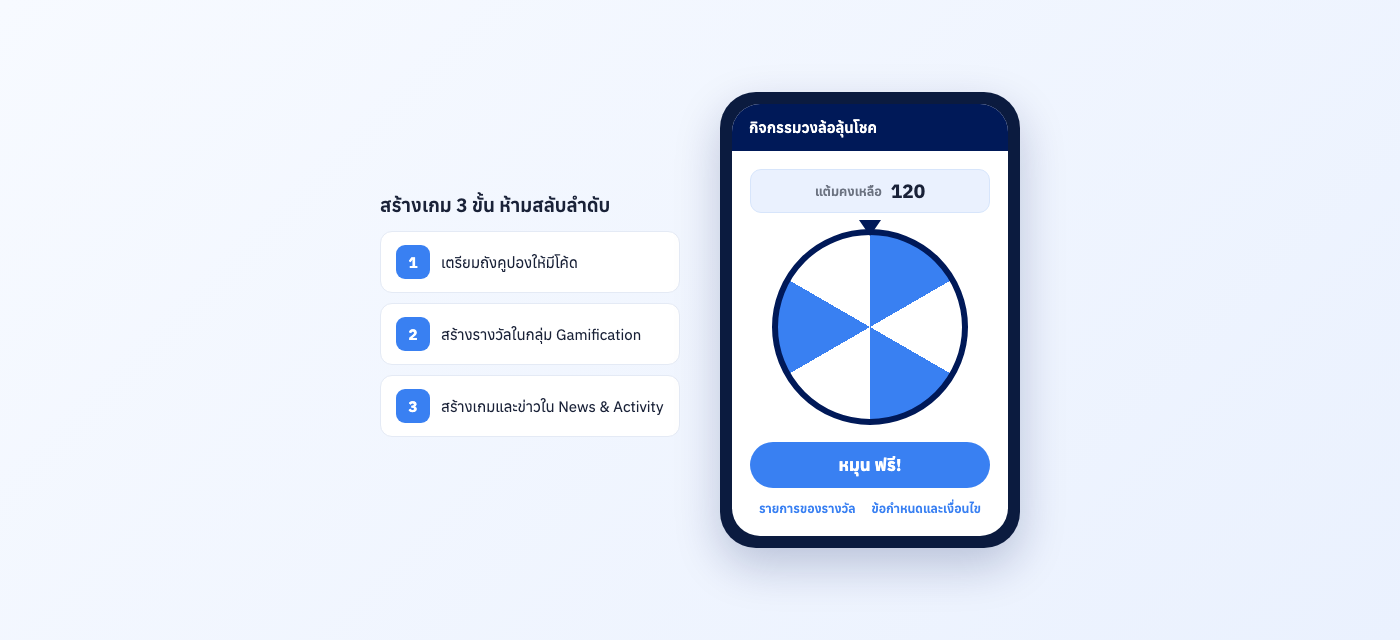
Gamification on LINE — engage every customer with a spin-the-wheel game
Most loyalty programs give members exactly one thing to do: collect points and wait until there are enough to redeem — a long, quiet wait. Gamification adds a game layer to the loyalty program to create engagement, through a Spin Wheel that members open from a news post on the LINE member page. It works for every customer group, new and existing, and you can run a separate campaign for each. Prizes land in the member’s coupons automatically, closing the loop back into the loyalty program you already run. Available today.
- The wheel always has 6 slots and takes 3 to 6 prizes — any empty slots are filled with a gift-box image automatically
- Make spins free, or charge points per spin — if you charge, points are deducted automatically, with nothing to reconcile by hand
- Prizes land in the member’s My Coupons right away and work exactly like any other coupon
- Cap plays per person per day and set an overall campaign quota, with start and end dates
- Control payout with Prize Pattern and Big Prize position — decide exactly how many big prizes are paid out per number of plays
- Per-campaign report: players, logged-in users, prizes issued and remaining, play timeline, with Export to Excel
- Run separate Gamification campaigns per customer group — welcome new members · a weekly activity for regulars · festive prize draws · win back lapsed customers. Each campaign has its own prizes and spin cost
- Create the game from the News & Activity menu. Members see it as a news post on LINE and tap to play — no extra app to download · Add-on service, contact sales to enable
Read more
New members, regulars and customers drifting away each need a different moment — set the wheel per group
→
v2.9.0September 1, 2026Reward Destination Link & Coupon Buttons3 features
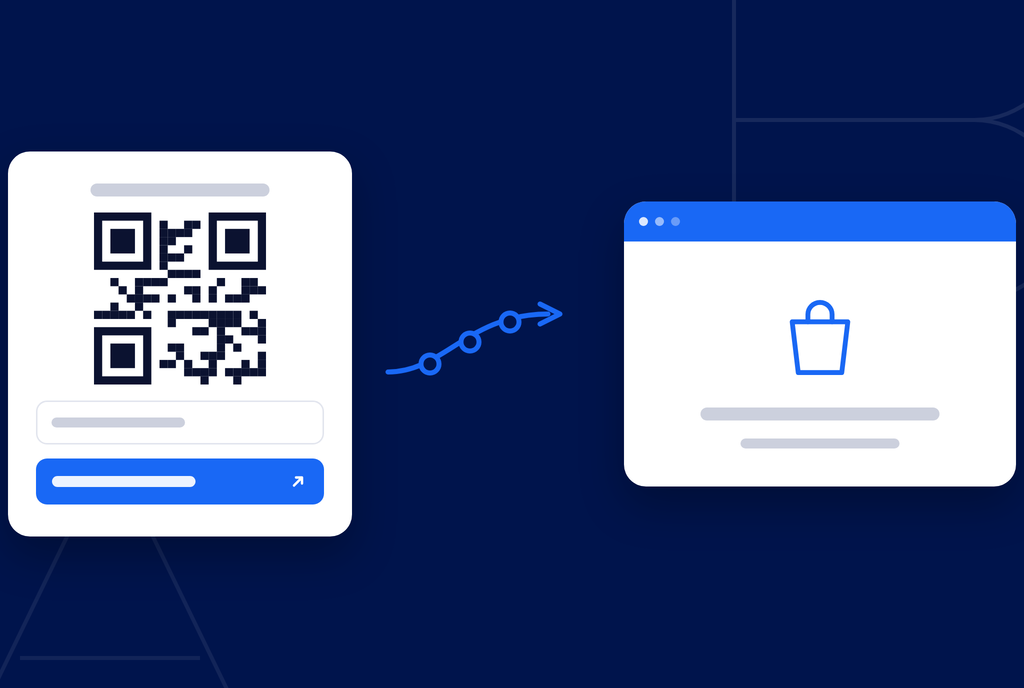
Destination button on the coupon — one tap takes members to the store
For coupons redeemed on Shopee, Lazada or your own online store. Add a button to the coupon page members already open — one tap copies the code automatically and opens the destination store, so nobody has to copy a code and then go hunting for the shop.
- You supply your own store link — it points at your shop directly, not at a platform search page
- Name the button yourself in Thai and English; leave English blank and English speakers see the Thai label
- The code is copied on every tap, so nobody reaches checkout and finds they can’t remember it
- Only web links (https://) are accepted, and they’re checked as you type — a store web link opens the app by itself if the member has it installed, and the browser if they don’t
- Turn it on per reward. Leave it off and the page looks exactly as it does today
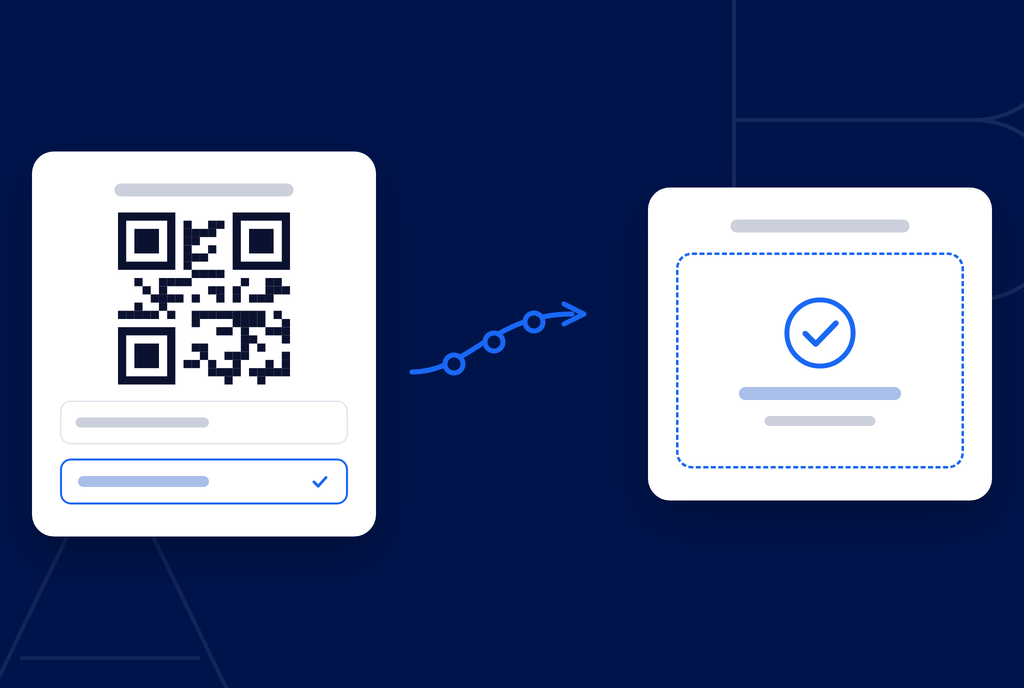
Mark-as-used button for store staff — confirm the redemption on the spot
For branches where the POS is not connected to your member system yet. Staff confirm the redemption straight from the member’s phone — the coupon is burned with a timestamp and cannot be used again at another branch.
- Once confirmed the screen shows “Used” with the date and time — the next branch sees it immediately, no phone calls, no checking with head office
- A confirmation step always comes first, and once confirmed it cannot be undone — brief your store staff before switching it on
- Turn it on only for rewards redeemed in store; online-only rewards can carry just the destination button
- Both buttons can be on at once for rewards that work either way
- Coupons already claimed are untouched — members can still open and use what is in their wallet
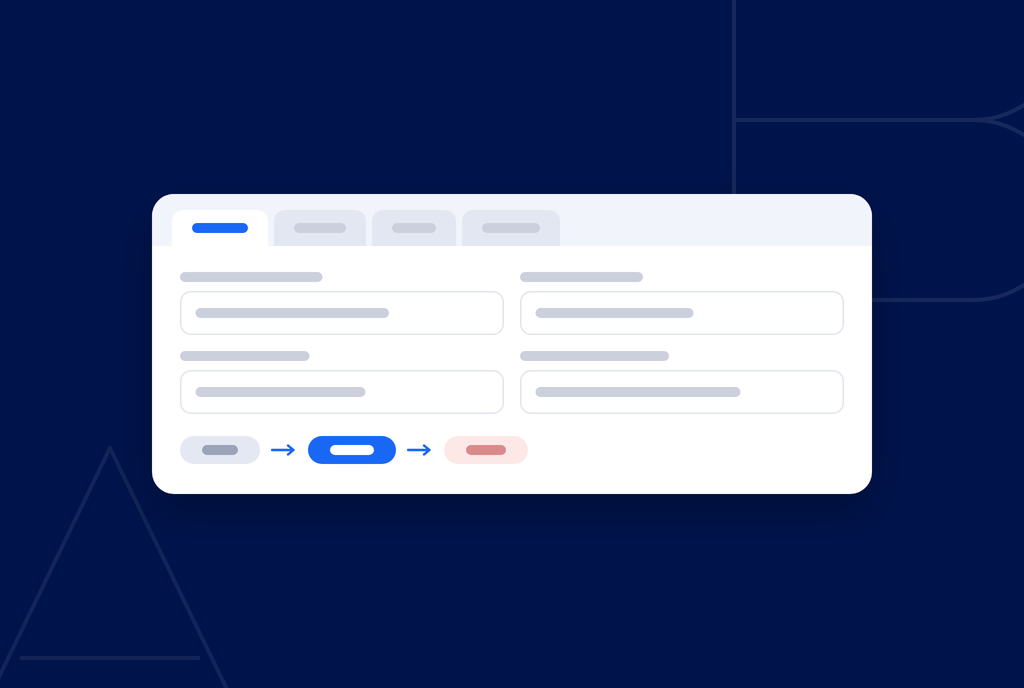
Redesigned reward manager — four tabs, plus a proper draft state
The reward editor has been rebuilt from scratch. Settings are split across four tabs so related fields sit together instead of being scattered down one long page, and rewards now move through Draft → Published → Unpublished.
- Four tabs — Reward Info · Reward Settings · Images · Who sees this reward. The coupon-page buttons are set in the same tab, with a live preview of what the member sees
- Draft holds work in progress: fields can be incomplete, it still saves, and members never see it
- Publishing requires a complete reward — an unfinished draft never reaches the member page
- Unpublish pulls a reward off the member page immediately, while coupons already claimed keep working
- The reward list filters by status in one click, previews images without opening the editor, and flags rewards past their end date with an “Expired” badge alongside their status
v2.8.0August 4, 2026Report Center & Questionnaire Management3 features
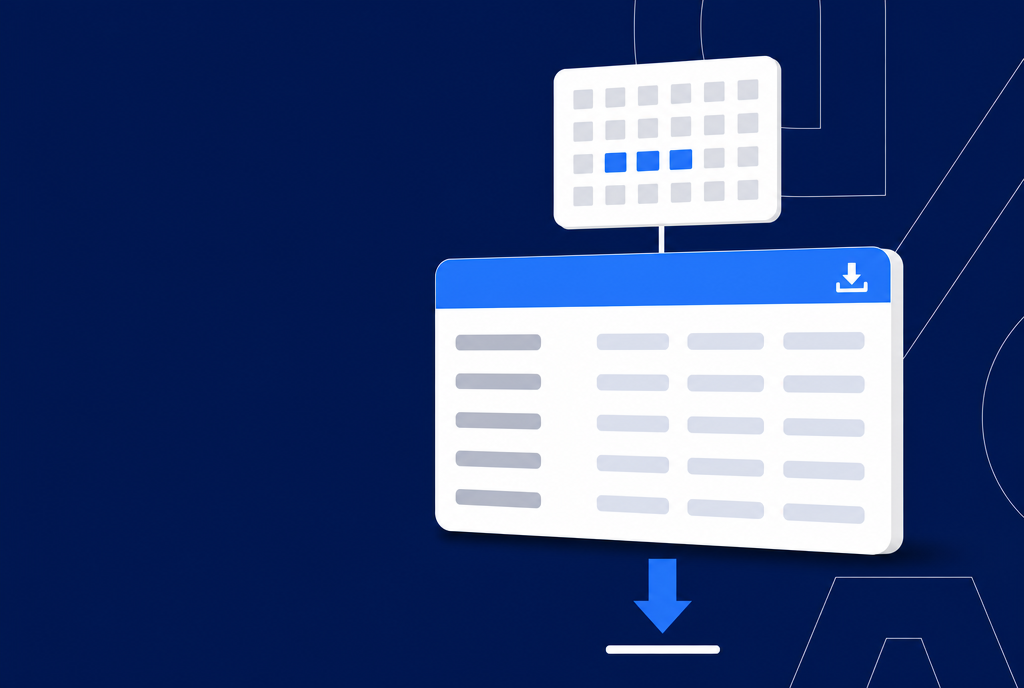
Report Center — pick the exact date range you need before you download
Report search and download history now live on a single page. Reports are grouped into categories and the date fields change automatically to suit each report type — generate, watch the status, and download without ever leaving the page.
- 15 report types in 6 categories with names that make sense at a glance — need last month’s new members? Pick the dates and download
- Date fields adapt to the report — date range / month-year / or none at all
- Defaults to the last 30 days, so you don’t set it from scratch every time
- Re-download for 15 days from the day you generated it, no need to run it again — every file shows its expiry date
- See who on your team generated each file, and grant report access per person in Report Setting
- CSV opens cleanly in Excel with Thai text intact, and the filename tells you the period
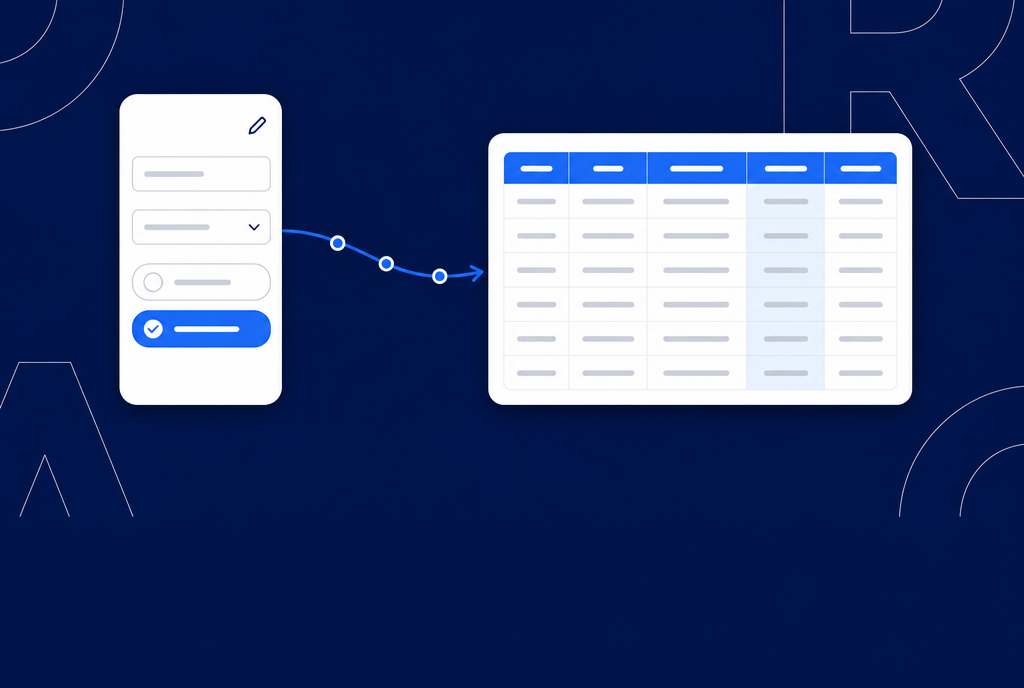
Customer Preferences & Insights — update questionnaire answers and carry them into your reports
The answers customers gave at sign-up are no longer locked. Members update them from their profile, admins can edit them from Account Detail, and every answer flows into your customer reports ready for analysis.
- Members edit their own answers on the Update Profile page — preferences change, the data changes with them
- Admins view and edit answers from Account Detail, under Customer Preferences & Insights
- The validation you set when building the form still applies on the admin side — no wrong formats, no exceeding limits
- Answers are appended to the All Customer and Customer Registration reports, ready to open in Excel
- Editing the form later never erases old data — past answers stay in the reports
Read more
Collect Zero-Party Data right at sign-up — the starting point for the answers you can now edit and reuse
→
LINE LIFF UX/UI — a smoother sign-up form on LINE
The date-of-birth field is now a scroll picker for day / month / Buddhist-era year instead of free typing, with icons added to the field labels — fewer mistakes and fewer abandoned forms at sign-up.
v2.7.0July 14, 2026Register Form Management1 feature
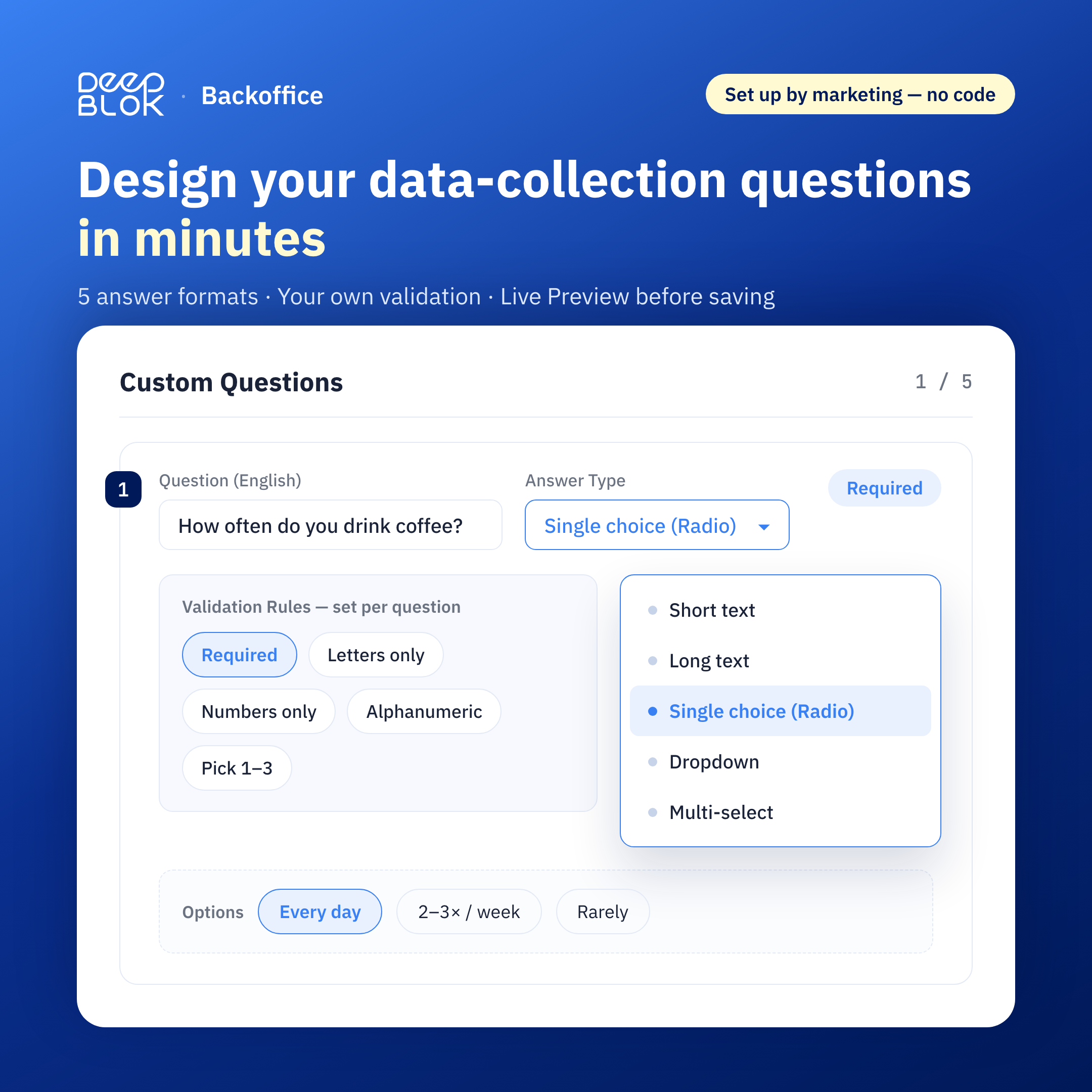
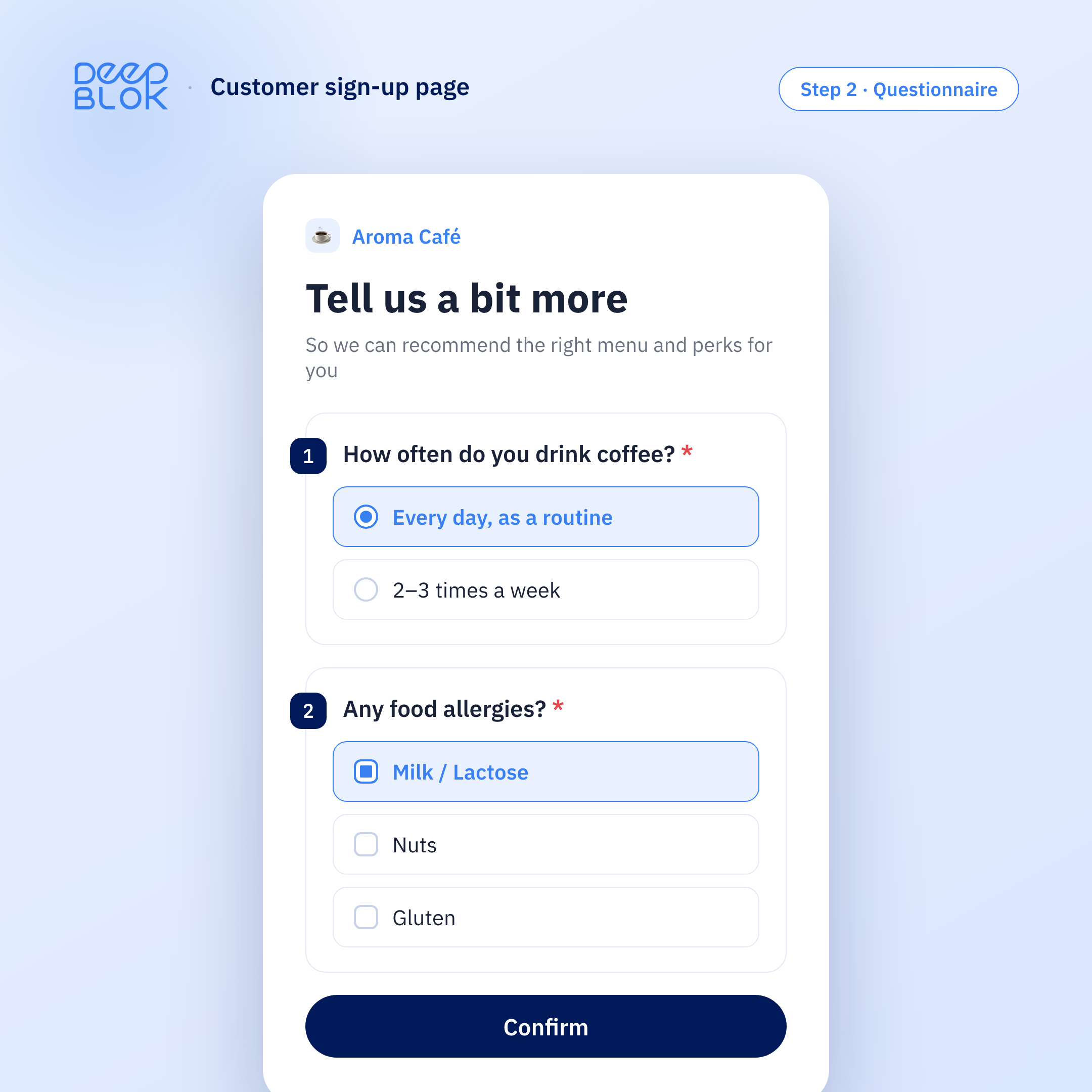
Custom Registration Questions — collect customer data right from the sign-up page
Marketing teams can design their own Zero-Party Data questions in Register Form Management — no developer needed. The data collected feeds straight into segmentation and targeted campaigns.
- Add up to 5 brand-specific questions on the sign-up page yourself — no Dev required
- 5 answer types (short text / long text / single choice / dropdown / multiple choice)
- Bilingual support (Thai/English) for every question and option
- Set your own validation — required fields, input format limits, selection count limits
- Ready-made templates (e.g. 77 provinces) + reorder questions + Live Preview before saving
Read more
Collect Zero-Party Data right at sign-up — how Custom Registration Questions lets marketing capture the right insights without waiting for Dev
→
v2.6.0June 2026Admin & Account Management Enhancement5 features
Member Profile · Account Detail
P
Patchara Wongsilp
Gold Member · Siam Branch · Last active 3 days ago
✓ Staff insight → becomes a permanent brand asset
Member Tags — Freeform customer tagging, unlimited fields and languages
Capture customer insights your old system couldn’t store — preferences, behaviors, special context. Data stays with the brand even as your team changes.
- Freeform tags — name them anything, supports Thai, English, and emoji
- Every team member sees the same customer context — no starting from scratch
- Preserve customer LTV even when staff turns over
Read more
When customer data is more than numbers — how Member Tags turns staff insight into a lasting brand asset
→
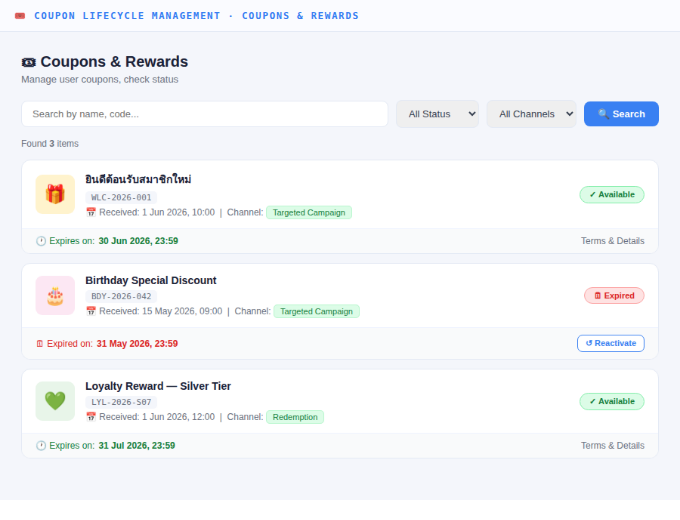
Coupon Lifecycle Management — Track origin, usage, and status of every coupon
Know instantly how each customer received their coupon, whether they’ve used it, when, at which branch — or if they let it expire. Suspend / Void / Reactivate without waiting for Dev.
- Coupon origin — redeemed, received via Promotion Campaign, or granted from a specific activity
- Usage status — Used / Unused / Expired with exact timestamp and branch
- Suspend / Void / Reactivate with logged reason — no Dev required, every action has an Audit Log
Read more
Why “issuing coupons” isn’t enough — and how Coupon Lifecycle lets CS close cases without Dev
→
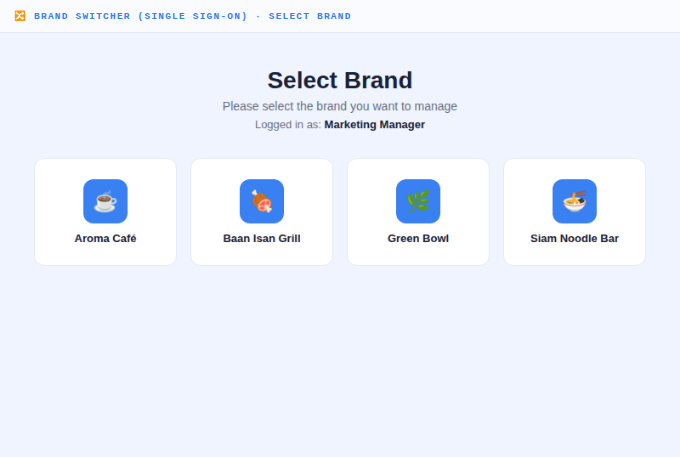
Brand Switcher (Single Sign-On) — 1 login, switch brands instantly from the dropdown
No more repeated logout/login when managing multiple brands — select a brand and the admin panel switches context automatically.
- Manage unlimited brands in your group from a single account
- Header always shows “Working on [Brand]” — reduces the risk of viewing the wrong brand’s data
- Offboard staff — close 1 account and instantly revoke access across all brands, no gaps
Read more
1 person managing 4 brands, forced to juggle 4 passwords — here’s how Brand Switcher solves it
→
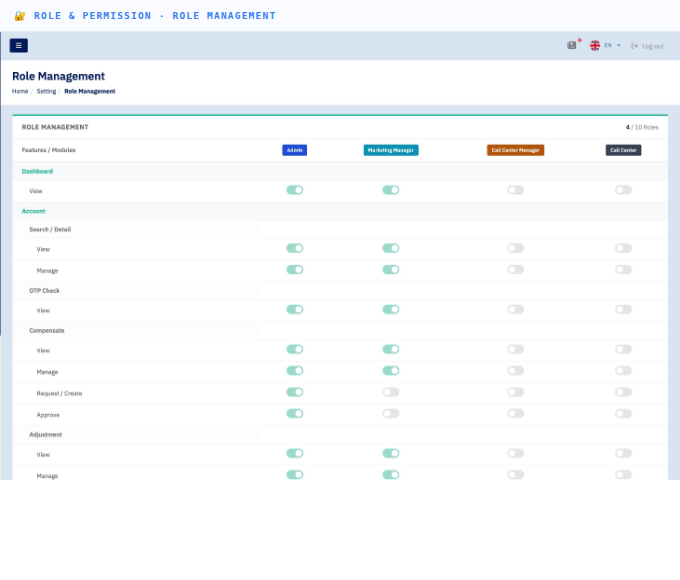
Role & Permission (RBAC) — Set team permissions per module
Precisely control what each role can do in each module — Marketing works freely without touching financial approvals or system settings.
- 5 ready-to-use roles: Super Admin / Admin / Marketing Manager / Call Center Manager / Call Center
- Assign each user View / Manage / Approve / Export permissions per module independently
- Admins can update the Role Matrix without Dev — changes take effect on next login
Read more
What is RBAC, and why multi-brand access needs precise permission management
→
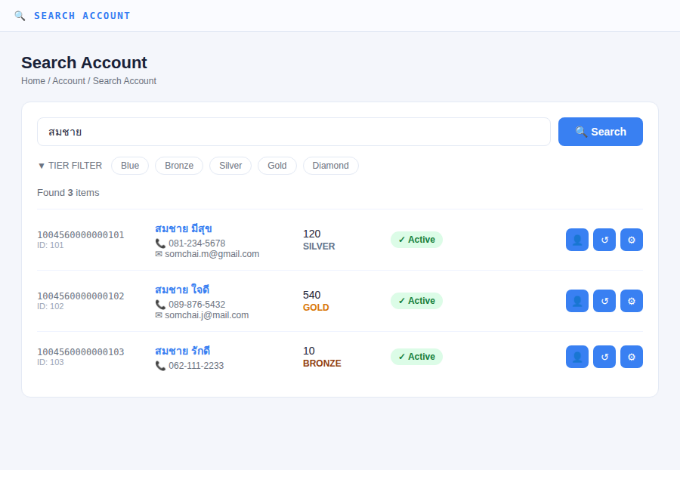
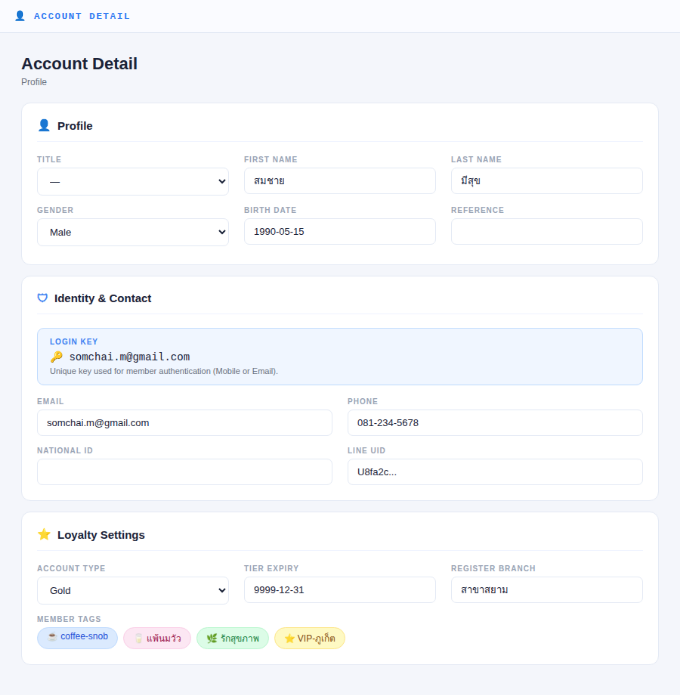
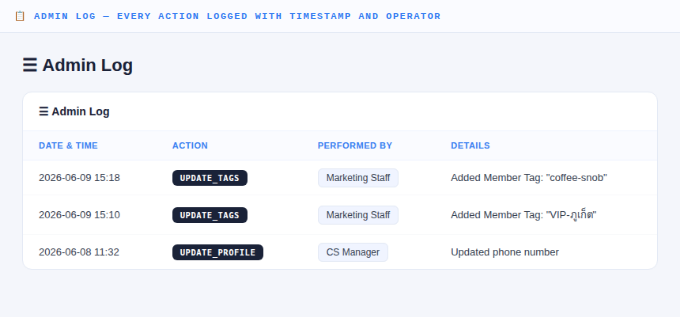
Account Management Enhancement — Search, view details, and track every member action
A fully redesigned member management UI — from search to profile details to an Admin Log that records every change with timestamp and operator.
- Search Account — find members faster with Tier Filter and easy-to-read results
- Account Detail — see Profile, Identity & Contact, Loyalty Settings, and Member Tags on one page
- Admin Log — every action is logged automatically with timestamp and operator for full auditability
Read more
How the new Account Management gives CS full access to member data and tracks every action
→